AI Style Transfer
Redraw any photo as a watercolor, oil painting, pencil sketch, pixel art, pop art or ukiyo-e print, keeping the subject and composition.
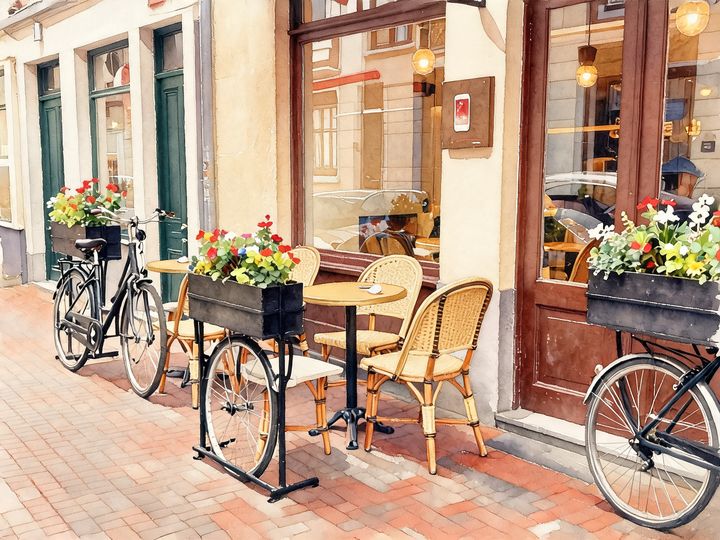
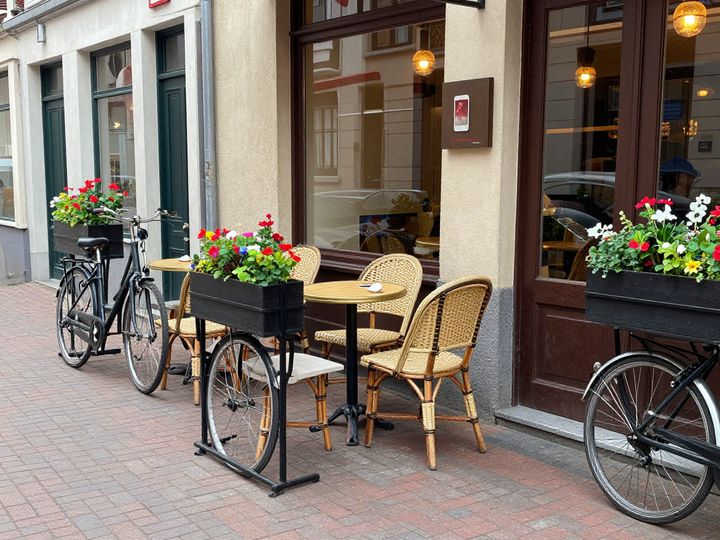 BeforeAfter
How to use AI style transfer
- 1
Upload a photo: a portrait, a pet, a building or a landscape.
- 2
Pick an art style and, if you like, add extra instructions.
- 3
Download your artwork or try the same photo in another style.
Turn a photo into a painting
AI style transfer redraws your photo in the look of a different art medium. Upload a portrait, a pet, a street scene or a landscape and choose watercolor, oil painting, pencil sketch, pixel art, pop art or a Japanese ukiyo-e woodblock print. Instead of laying a filter over the pixels, the AI repaints the image with the brushwork, lines, textures and colors of that style. It is instructed to keep the subject, pose and composition of your photo, so the result still reads as your picture. Add a note such as “warm sunset colors” to steer the palette. Use the artwork for wall prints, gifts, cards, profile pictures or social posts, and check the details before printing.
What this AI style transfer tool does well
Six art styles from one upload
Try watercolor, oil painting, pencil sketch, pixel art, pop art and ukiyo-e on the same photo, then keep the version that suits the subject best.
Repainted, not filtered
Each style is drawn with its own technique: soft washes and paper texture for watercolor, visible brush strokes for oil, shaded graphite for sketch and bold outlines for ukiyo-e.
Your composition stays
The tool is instructed to keep the subject, pose, layout and main shapes of the original, so a family photo or a travel view is still recognizable as that moment.
Steer colors and details
Use the optional instructions to change the palette, season or mood, such as “autumn colors” or “night sky with stars”, while the style you chose still applies.
Ways to use AI style transfer
Wall art and prints
Turn a favorite travel photo or your house into a watercolor or oil painting to frame. Output is about 1024 pixels, which suits small prints and cards best.
Personal gifts
Make a pencil sketch of your grandparents, a pop art portrait of a friend or an oil painting of the family pet for a birthday, wedding or anniversary card.
Profile pictures and avatars
Give your profile picture a distinctive look, with pixel art for gaming accounts, pop art for social media or a pencil sketch for a personal website.
Content and design drafts
Create illustrated versions of photos for blog headers, posters, newsletters and mood boards, or test which art direction fits a project before hiring an illustrator.
Tips for better AI style transfer results
Start with a sharp photo that has a clear main subject. Busy scenes with many small people or objects lose detail, especially in pixel art and pop art.
Match the style to the photo: watercolor and ukiyo-e suit landscapes and nature, pencil sketch suits portraits and architecture, and pop art works best with one face or object.
Keep extra instructions about color and mood, such as “muted earth tones”. Asking for new objects or people pulls the result further away from your photo.
If a face looks off, try a photo where it is larger in the frame and facing the camera. Pixel art and pop art simplify faces more than oil or sketch.
Simple, credit-based pricing
Every tool runs on the same credits. One image is 30 credits, and failed generations are refunded.
Starter
For occasional photos
- About 75 images per month
- 2,250 credits
- All 34 AI image tools
- Commercial use
- Failed generations refunded
Plus
For busy shops and creators
- About 150 images per month
- 4,500 credits
- All 34 AI image tools
- Commercial use
- Failed generations refunded
- Priority support
Business
For teams, agencies and high volume
- About 300 images per month
- 9,000 credits
- All 34 AI image tools
- Commercial use
- Failed generations refunded
- Dedicated support
Monthly and yearly plans renew automatically at the end of each period until you cancel, and you can cancel anytime in Settings. Credit packs are one-time purchases that never renew; their credits last 1 year. Prices include tax.
AI style transfer FAQ
- What is AI style transfer?
- It means redrawing a photo in the look of another art style or medium, such as watercolor or oil painting. The content of your photo stays, while the brushwork, lines, colors and texture change to match the style.
- Which photos work best?
- Clear, well-lit photos with one main subject or a simple scene, such as portraits, pets, buildings and landscapes. Avoid heavy blur, strong filters or very cluttered scenes, since those details get lost when the image is repainted.
- Will the result still look like my photo?
- The tool is instructed to keep the subject, pose and composition. Each style simplifies things in its own way, so small details and faces will change somewhat. If too much is lost, try another style or a closer photo.
- How is this different from Photo to Anime?
- Photo to Anime focuses on anime, manga, chibi and 3D cartoon looks. Style transfer covers classic art mediums like watercolor, oil painting, pencil sketch and ukiyo-e, plus pixel art and pop art.
- Can I change colors or add details?
- Yes. Type extra instructions such as “use a palette of blues and soft gold” or “make it a snowy winter day”. The style you picked still applies, and the tool is told to keep your subject.
- Can I print the artwork?
- Yes, but results are standard 1K resolution, about 1024 pixels, and this tool does not upscale. That looks good on screens, cards and small prints, but a large canvas print may look soft.
- Can I use a photo of someone else, or sell the art?
- Only upload photos you have the right to use, and get permission from the people in them. Results can be used commercially, subject to our terms, but don't use someone's likeness to sell things without their consent.
- How much does it cost?
- Each artwork costs 30 credits, shown on the Generate button. Failed generations are refunded automatically, results are saved in My Images, and your upload is deleted from the processing service within 24 hours.
More AI tools
All tools
AI Image Generator
Describe what you want, choose a model, and turn your text into a 1K image.
Image to Image
Upload one to four images, describe what you want, and get a new 1K image built from them.
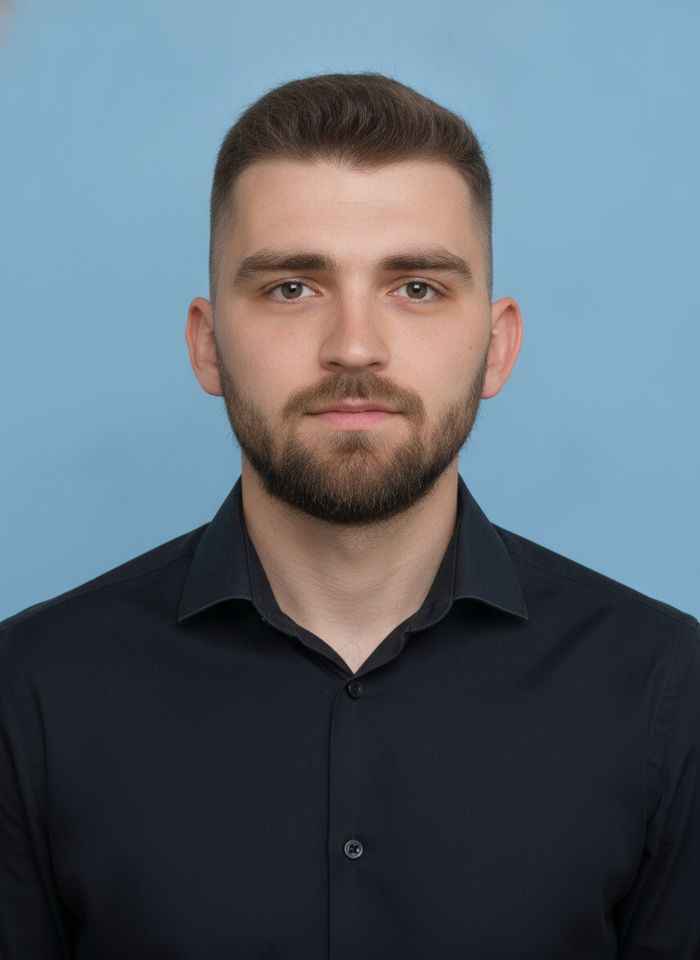
AI ID Photo Maker
Turn one photo of yourself into a formal, front-facing ID-style photo on a white, blue or red background.

AI Product Photo
Turn a simple product snapshot into a studio-quality photo for your store.

AI Headshot Generator
Get a professional headshot for LinkedIn or your resume from one selfie. No photographer needed.

Old Photo Restoration
Remove scratches and fading, sharpen faces and add natural color to black-and-white photos.
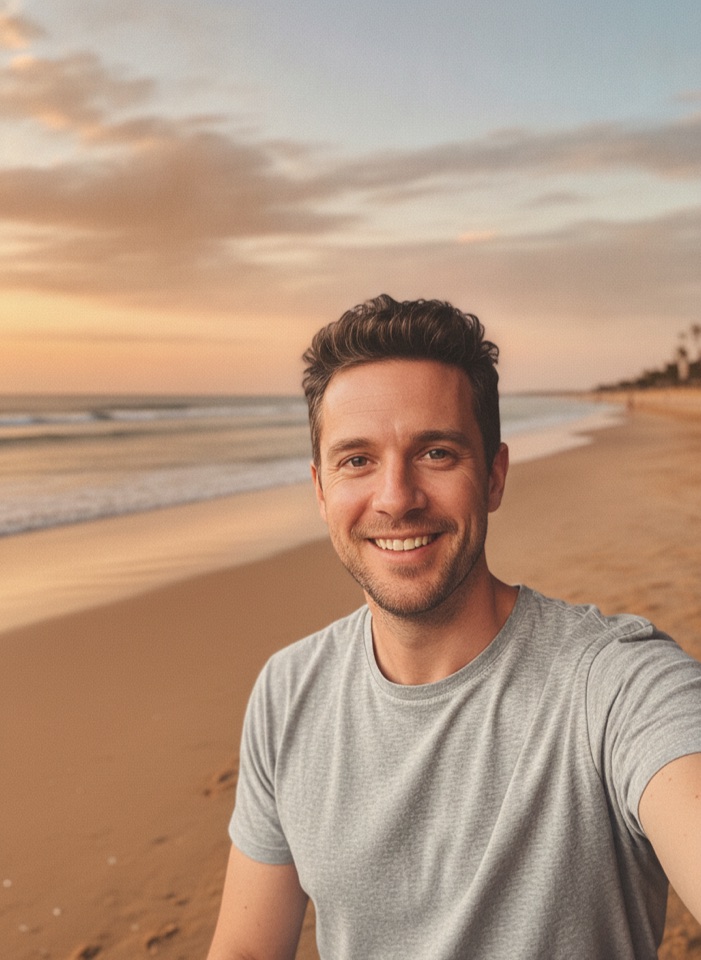
AI Background Changer
Upload a photo, pick a new background or describe your own, and the subject is kept as it is.
AI Object Remover
Type what you want gone, like a stranger or a trash can, and the AI removes it and fills in the background.
White Background Maker
Upload a product snapshot and get it back on a clean, plain background with a soft shadow, ready for your store.