White Background Photo Maker
Upload a product snapshot and get it back on a clean, plain background with a soft shadow, ready for your store.
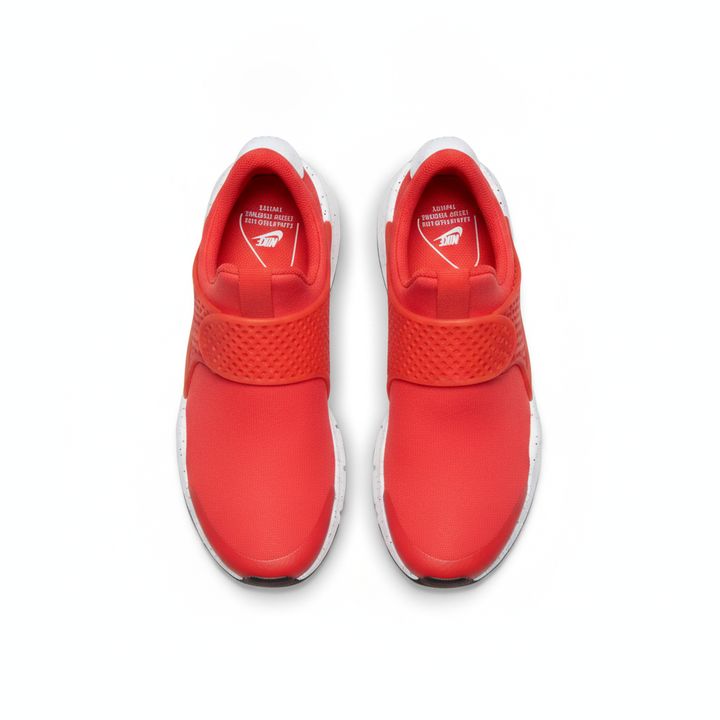
 BeforeAfter
How to make a white background photo
- 1
Upload a clear photo of your product, taken on any background.
- 2
Pick white, light gray or black as the background.
- 3
Download the result and use it in your listing or catalog.
Clean product photos on a plain background
A white background photo is the standard main image on most marketplaces, but getting one usually means a lightbox, careful lighting and time spent editing. With this tool you upload a product snapshot taken anywhere, on a desk, a bed or a shop counter, and the AI redraws the product on a seamless solid background with a soft, natural shadow underneath. Choose pure white for marketplace main images, light gray for a softer catalog look, or black for jewelry, electronics and other items that stand out on dark. The tool is instructed to keep the product's shape, colors, logo and label text, so check the result before you publish. The output is a solid-color background, not a transparent cutout.
What this white background maker does well
Three background colors
Pure white for marketplace main images, light gray for a softer catalog look, and black for pale, metallic or glowing products that need more contrast to stand out.
A soft shadow under the product
Instead of a flat cutout that seems to float, the product gets a gentle contact shadow, so it looks like it was photographed on a real studio sweep.
No manual cutting out
You don't need to trace edges with a pen tool or erase the background by hand. Upload the photo as it is and the AI separates the product for you.
A consistent look across your catalog
Run every product through the same background color to give a whole store, catalog or price list one clean, uniform style, even when the photos were taken in different places.
Who needs white background photos
Marketplace sellers
Make main images for Amazon, eBay, Etsy and Shopify listings, where a plain white background is often required or strongly recommended for the first photo.
Wholesalers and catalogs
Turn quick warehouse snapshots of your stock into clean images for catalogs, price lists and line sheets, with every item sitting on the same plain background.
Secondhand and resale listings
Replace a messy room behind a used item with a plain background for resale apps and classifieds. Check that wear and marks still show, so buyers know what they get.
Websites and print
Use plain-background product shots on your own website, in comparison tables, flyers and brochures, where a busy background would clash with the page layout.
Tips for a better white background photo
Shoot in even daylight and avoid strong colored light. A product lit by a yellow lamp may keep that color cast, which shows clearly against a clean white background.
Keep the whole product in the frame with a little space around it. Cut-off edges can't be restored, and the shadow needs some room underneath.
For white or very pale products, try the light gray or black background. On pure white, light edges can blend into the background and look washed out.
Photograph each item from the angle you want buyers to see. The tool is told to keep the product as it was shot, so a tilted photo stays tilted.
Simple, credit-based pricing
Every tool runs on the same credits. One image is 30 credits, and failed generations are refunded.
Starter
For occasional photos
- About 75 images per month
- 2,250 credits
- All 34 AI image tools
- Commercial use
- Failed generations refunded
Plus
For busy shops and creators
- About 150 images per month
- 4,500 credits
- All 34 AI image tools
- Commercial use
- Failed generations refunded
- Priority support
Business
For teams, agencies and high volume
- About 300 images per month
- 9,000 credits
- All 34 AI image tools
- Commercial use
- Failed generations refunded
- Dedicated support
Monthly and yearly plans renew automatically at the end of each period until you cancel, and you can cancel anytime in Settings. Credit packs are one-time purchases that never renew; their credits last 1 year. Prices include tax.
White background photo FAQ
- Will I get a transparent PNG?
- No. The result is your product on a solid white, light gray or black background with a soft shadow, not a transparent cutout. If you need transparency, remove the background in another editor.
- Does it meet Amazon's white background rules?
- The white option is meant for marketplace main images, but rules differ by marketplace and category and can change. Check the current image requirements, and zoom in to make sure the background is clean before you upload.
- Will the AI change my product?
- The tool is instructed to keep the product's shape, colors, logo and label text and only replace the background. Very small print can come out slightly changed, so zoom in and check before publishing.
- What if I need a colored background or a scene?
- This tool offers white, light gray and black. For other colors, or a styled setting like a marble or kitchen counter, use the AI Product Photo or AI Background Changer tool instead.
- What kind of photo works best?
- A sharp, evenly lit photo where the whole product is visible and fills most of the frame. Any background is fine, but a product that blends into a similar color behind it is harder to separate.
- Can it handle glass, jewelry or shiny products?
- It can, but clear glass, mirrors and polished metal are harder because they reflect their surroundings. Expect some reflections to be redrawn, and pick black or light gray if white makes the edges hard to see.
- What resolution are the images?
- Results are standard 1K resolution, about 1024 pixels on the long side. That works for most listing and web images, but this is not an upscaler, so check each marketplace's minimum image size first.
- How much does it cost, and where are my images saved?
- Each image costs 30 credits, and failed generations are refunded automatically. Results are saved in My Images and can be used commercially, subject to our terms. Uploads are deleted from the processing service within 24 hours.
More AI tools
All tools
AI Image Generator
Describe what you want, choose a model, and turn your text into a 1K image.
Image to Image
Upload one to four images, describe what you want, and get a new 1K image built from them.

AI ID Photo Maker
Turn one photo of yourself into a formal, front-facing ID-style photo on a white, blue or red background.

AI Product Photo
Turn a simple product snapshot into a studio-quality photo for your store.

AI Headshot Generator
Get a professional headshot for LinkedIn or your resume from one selfie. No photographer needed.

Old Photo Restoration
Remove scratches and fading, sharpen faces and add natural color to black-and-white photos.

AI Background Changer
Upload a photo, pick a new background or describe your own, and the subject is kept as it is.

AI Object Remover
Type what you want gone, like a stranger or a trash can, and the AI removes it and fills in the background.

AI Photo Enhancer
Upload a blurry or noisy photo and get a sharper, cleaner version with clearer faces and better color.